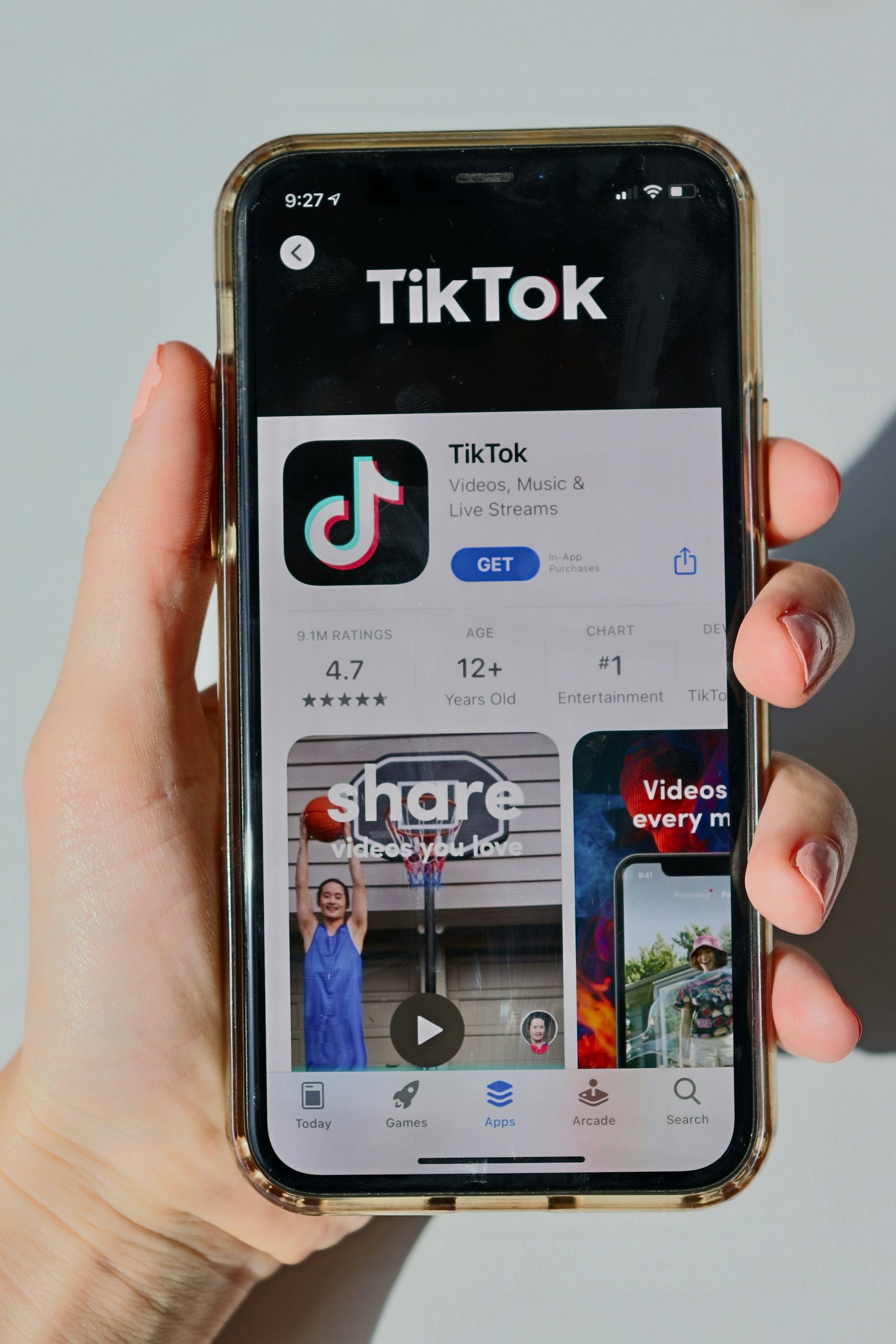
With over 1.7 billion active users, TikTok’s blend of viral content and algorithmic curation demands robust privacy tools to protect users across age groups. This guide dissects TikTok’s 2025 privacy architecture, offering actionable strategies for optimizing account security, content controls, and family safety features.
TikTok Privacy and Security: A Detailed Technical Guide
1. Account Privacy
Private vs. Public Account Settings
- Default Settings by Age:Under 13: Account creation blocked[17].- 13–15: Private by default; cannot switch to public[1][23].- 16–17: Private by default but can toggle to public[1].- 18+: Public by default.
Enabling Private Mode:
- Navigate to Profile > ☰ Menu > Settings & Privacy > Privacy.2. Toggle Private Account to restrict content to approved followers[2][23].3. Business accounts must revert to personal accounts to enable privacy[8].
The Complete Guide to Social Media Privacy: Protecting Your Digital Life in 2025
Profile Visibility Controls
- Discoverability:Suggest Your Account: Disabled by default for users under 18[1].- Search Engine Indexing: Public accounts may appear in Google/Bing results[1]. Username/Profile Photo: Always visible regardless of privacy settings[1]. The United States’ Potential TikTok Ban on January 19: What It Could Mean and What Comes Next
Follower Management
- Approval Workflow:Follow requests appear under Profile > Follow Requests.- Block suspicious accounts via Profile > Followers > Block[7]. Audit Tools:
- Review follower demographics under Profile > Followers > Filter[7].
Age Restrictions & Verification
- Age Gates:Under 13: Blocked from account creation[17].- 13–15: Restricted from live streaming, DMs, and public Duets[1][15]. Verification:
- Trust Stamp: Combines AI age estimation + ID scans for users flagged as underage[3].
ByteDance plus Tiktok Plus OpenAi LLM
2. Content Safety
Duet/Stitch Permissions
Age-Based Restrictions:
Age Duet Stitch
13–15 Disabled Disabled
16–17 Friends-only (public accounts) Friends-only (public accounts)
18+ Customizable (Everyone/Friends/Off) Customizable[4][35]
Adjusting Permissions:
- Navigate to Privacy > Duet/Stitch.2. Select audience tier (Everyone/Friends/Off)[35][38].
Ensuring Child Safety on TikTok: A Closer Look at Differentiated Experiences
Download Permissions
- Video Downloads:13–15: Disabled globally, even for public accounts[1].- 16–17: Disabled by default; public accounts can enable[1].- 18+: Toggle via Privacy > Download Settings[1].
Workaround: Users can still share video links regardless of settings[1].
Privacy Settings Explained: A Guide to TikTok, Snapchat, and LinkedIn
Comment Filtering
- Keyword Blocking: Navigate to Privacy > Comments > Filter Keywords.- Add offensive terms (e.g., hate speech, bullying)[5].
- Audience Restrictions:Limit comments to Friends or disable entirely under Privacy > Comment Controls[5][23].
Direct Message Privacy
Age-Based DM Rules:
Age DM Permissions
13–15 Disabled
16–17 Friends-only by default
18+ Everyone/Friends/Off
Adjusting Settings:
- Navigate to Privacy > Direct Messages.2. Select No One, Friends, or Everyone[6][31].
Australia Launched an Inquiry Into TikTok’s Data Collection
3. Data Protection
Data Collection Preferences
- Opt-Out Tools:Ad Personalization: Disable via Settings > Ads > Personalized Ads[41][49].- Off-TikTok Activity: Block cross-platform tracking under Settings > Privacy > Data Sharing[59]. Data Export:
- Download posts, messages, and metadata via Settings > Account > Download Data[11][48].
Location Services
- Granular Controls:Disable location access via device settings (iOS/Android).- Limit location-based ads under Settings > Ads > Location-Based Ads[44][61]. Content Restrictions:
- Block region-specific trends via Privacy > Content Preferences > Location Filters[9].
Cross-Platform Sharing
- Third-Party Access:Revoke app permissions under Settings > Security > Third-Party Apps[11].- Use Disconnect Advertisers to block off-platform data usage[59].
4. Family Pairing
Screen Time Management
- Daily Limits:13–15: 60 minutes default; extend with parent passcode[69].- 16–17: 120 minutes default[51]. Schedule Controls:
- Mute notifications from 9 PM for teens under 16, 10 PM for 16–17[51][72].
Content Restrictions
- Restricted Mode: Link parent/teen accounts via QR code[51][68].- Enable Restricted Mode to block mature content[26][57].
- Keyword Filters:Block hashtags/sounds related to drugs, violence, or self-harm[70].
Direct Message Controls
- Parental Overrides:Disable DMs entirely for teens under 16[56][70].- Review message requests via linked Family Pairing dashboard[72].
Search Limitations
- Safe Search:Block explicit content in Discover and Search[51][74].- Restrict hashtag exploration under Family Pairing > Content Filters[74].
Best Practices for TikTok Privacy
- Default to Private: Keep accounts private for users under 18[1][3].2. Layered Filtering: Combine keyword blocks with Restricted Mode[5][57].3. Data Audits: Download and review data biannually[11][48].4. Family Pairing: Mandatory for teens to enforce screen time/DM limits[72][74].5. Location Masking: Disable GPS and use VPNs to obscure IP addresses[44][61].
By mastering these configurations, users can balance TikTok’s creative potential with enterprise-grade privacy safeguards. For parents, Family Pairing remains the cornerstone of teen safety, while content creators benefit from granular control over duets, downloads, and data sharing.
Citations: [1] https://support.tiktok.com/en/account-and-privacy/account-privacy-settings/privacy-and-safety-settings-for-users-under-age-18 [2] https://blog.incogni.com/make-tiktok-account-private/ [3] https://us.myfirst.tech/blogs/latest/how-to-set-up-tiktok-2025-safety-features-by-age-parent-guide [4] https://socialbee.com/blog/how-to-duet-and-stitch-on-tiktok/ [5] https://newsroom.tiktok.com/en-us/youre-in-control-of-your-comments [6] https://planly.com/tiktok-dm/ [7] https://predis.ai/resources/hide-followers-on-tiktok/ [8] https://www.youtube.com/watch?v=reVeT84pPYc [9] https://support.tiktok.com/en/safety-hc/account-and-user-safety/audience-controls [10] https://www.youtube.com/watch?v=N-2jJx8hWmM [11] https://support.tiktok.com/en/account-and-privacy/personalized-ads-and-data/requesting-your-data [12] https://ads.tiktok.com/help/article/how-to-update-your-tiktok-direct-message-permission-for-tiktok-messaging-ads?lang=en [13] https://www.youtube.com/watch?v=v_J87amGvSc [14] https://www.socialcoach.io/blog/tiktok-guides-how-to-duet-on-tiktok [15] https://litcommerce.com/blog/how-to-turn-off-age-restriction-on-tiktok/ [16] https://www.youtube.com/watch?v=_g0nE419fWA [17] https://kidmatterscounseling.com/blog/5-things-parents-need-to-know-about-tik-tok/ [18] https://www.tiktok.com/@geniusalfred/video/7389735919785348358 [19] https://newsroom.tiktok.com/en-us/tiktok-parental-guide [20] https://support.tiktok.com/en/account-and-privacy/account-privacy-settings [21] https://www.youtube.com/watch?v=zAPZ8LhCFdw [22] https://www.tiktok.com/@cloutnews/video/7342201241637784865 [23] https://support.tiktok.com/en/account-and-privacy/account-privacy-settings/making-your-account-public-or-private [24] https://www.tiktok.com/discover/how-to-change-account-privacy-on-tiktok-2025 [25] https://www.youtube.com/watch?v=X8VnlARUQ00 [26] https://support.tiktok.com/en/safety-hc/account-and-user-safety/restricted-mode [27] https://www.youtube.com/watch?v=o_pKtY3T12U [28] https://newsroom.tiktok.com/en-us/controlling-your-dms [29] https://www.tiktok.com/discover/how-to-turn-on-duet-and-stitch-on-tiktok [30] https://www.forbes.com/sites/esatdedezade/2025/02/12/how-to-download-tiktok-on-android/ [31] https://support.tiktok.com/en/using-tiktok/messaging-and-notifications/direct-message-settings [32] https://nestscale.com/blog/how-to-stitch-on-tiktok.html [33] https://www.today.com/news/how-to-download-tiktok-videos-data-rcna188265 [34] https://www.youtube.com/watch?v=OTuYEcGaNyQ [35] https://support.tiktok.com/en/account-and-privacy/account-privacy-settings/stitch [36] https://www.reddit.com/r/pihole/comments/151svya/tiktok_permissions/ [37] https://www.youtube.com/watch?v=-6n09OFX4OA [38] https://support.tiktok.com/en/account-and-privacy/account-privacy-settings/duets [39] https://www.reuters.com/technology/tiktok-give-package-kits-its-website-us-android-users-download-app-2025-02-08/ [40] https://www.datafeedwatch.com/blog/tiktok-advertising-guide [41] https://www.tiktok.com/privacy/ads-and-your-data/en [42] https://www.ipvanish.com/blog/tiktok-privacy-settings/ [43] https://ads.tiktok.com/business/en-US/blog/enhancing-privacy-control-advertisers-users [44] https://www.tiktok.com/legal/page/us/privacy-policy/en [45] https://www.internetgovernance.org/2025/01/17/embarrassing-the-future-tiktok-decision-turns-on-data-collection/ [46] https://popularpays.com/blog/tiktok-ad-specs-2024-guide [47] https://www.tiktok.com/legal/page/eea/privacy-policy/en [48] https://www.cbsnews.com/news/how-to-download-your-tiktok-data-videos-now-that-service-has-been-shuttered/ [49] https://support.tiktok.com/en/account-and-privacy/personalized-ads-and-data/how-your-ads-are-personalized [50] https://ads.tiktok.com/help/article/data-collection-standards [51] https://us.myfirst.tech/blogs/latest/how-to-set-up-tiktok-2025-safety-features-by-age-parent-guide [52] https://bestreviews.net/best-parental-control-software-tiktok/ [53] https://newsroom.tiktok.com/en-us/new-features-for-teens-and-families-on-tiktok-us [54] https://www.tiktok.com/@geniusalfred/video/7433673746407230725 [55] https://newsroom.tiktok.com/en-us/tiktok-introduces-family-pairing [56] https://www.aura.com/learn/tiktok-parental-controls [57] https://support.tiktok.com/en/safety-hc/account-and-user-safety/user-safety [58] https://support.tiktok.com/en/live-gifts-wallet/tiktok-live/comments-on-tiktok-live [59] https://dataslayer.ai/blog/social-media-and-influencer-marketing/tiktok-privacy-and-ad-tools [60] https://febabenefits.org/blog/how-tiktok-uses-your-data-behind-the-scenes/ [61] https://ads.tiktok.com/help/article/location-targeting?lang=en [62] https://ppc.land/tiktok-unveils-new-privacy-controls-and-ad-transparency-features/ [63] https://research.aimultiple.com/tiktok-scraping/ [64] https://www.youtube.com/watch?v=esPAt5sZ3Dc [65] https://ads.tiktok.com/business/en-US/blog/privacy-updates-improved-data-control-transparency-tools [66] https://newsroom.tiktok.com/en-us/tiktok-facts-how-we-secure-personal-information-and-store-data [67] https://www.bark.us/tech-guide/app-management-tiktok/ [68] https://www.airdroid.com/parent-control/tiktok-family-pairing/ [69] https://allaboutcookies.org/make-tiktok-safe-for-kids [70] https://1question.app/navigating-tiktok-parental-controls-a-guide-for-parents/ [71] https://www.youtube.com/watch?v=otcAU55UiOU [72] https://support.tiktok.com/en/safety-hc/account-and-user-safety/family-pairing [73] https://www.youtube.com/watch?v=kZTqg5u3kb0 [74] https://www.internetmatters.org/parental-controls/social-media/tiktok-privacy-and-safety-settings/