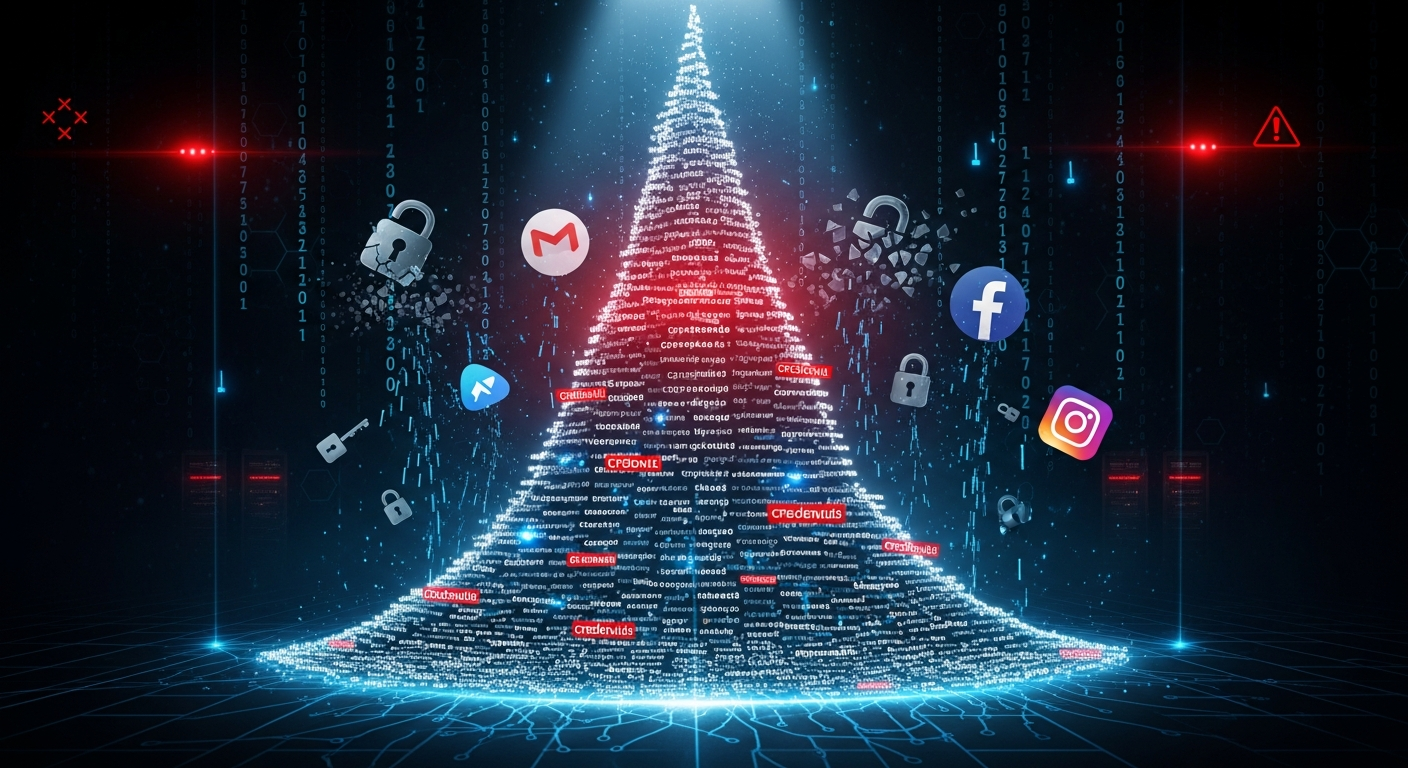
Security researcher Jeremiah Fowler stumbled upon a treasure trove for criminals—nearly 150 million stolen credentials sitting on an unprotected server, searchable by anyone with a web browser.
The Discovery That Should Keep You Awake at Night
Imagine walking through a digital warehouse filled with 149 million keys—each one opening the door to someone’s email, social media, bank account, or streaming service. Now imagine that warehouse had no locks, no guards, and was visible to anyone who happened to walk by.
That’s exactly what security researcher Jeremiah Fowler found in late January 2026.
A database containing 149,404,754 unique login credentials—usernames, passwords, and the exact URLs needed to use them—was sitting on a server, completely unprotected. No password. No encryption. Just 96 gigabytes of raw, stolen data that anyone with a web browser could search through like a digital phone book.
Among the exposed credentials: an estimated 48 million Gmail accounts, 17 million Facebook logins, 6.5 million Instagram accounts, and hundreds of thousands of credentials for everything from Netflix to Binance to government systems worldwide.
This wasn’t a sophisticated hack. It wasn’t a zero-day exploit or a targeted attack on a tech giant. It was something far more troubling—a glimpse into the industrial-scale operation of credential theft, and a stark reminder that the greatest threat to your online security might already be quietly logging every keystroke you make.
What Was Actually Exposed
Let’s break down the scale of what Fowler discovered:
Email Providers: The Master Keys
Provider Estimated Exposed Accounts
Gmail 48,000,000
Yahoo Mail 4,000,000
Microsoft Outlook 1,500,000
iCloud Mail 900,000
.edu (Academic/Institutional) 1,400,000
If these numbers seem staggering, that’s because they are. But what makes email credentials particularly dangerous isn’t just the email access itself—it’s what that access unlocks.
Think about how password resets work for virtually every online service: they send a link to your email. An attacker with access to your Gmail or Outlook account doesn’t just read your messages. They can reset passwords for your bank, your Amazon account, your social media, your crypto wallets—essentially anything tied to that email address.
Email is the skeleton key to your digital life. And 48 million of those skeleton keys were just sitting on an unprotected server.
Social Media and Entertainment
Platform Estimated Exposed Accounts
Facebook 17,000,000
Instagram 6,500,000
TikTok 780,000
Netflix 3,400,000
Roblox Present (count unknown)
X (formerly Twitter) Present (count unknown)
Social media credentials might seem less critical than email or banking, but they enable different kinds of attacks. Compromised Facebook or Instagram accounts are gold mines for impersonation scams, fraudulent advertising, and social engineering attacks against the victim’s friends and family.
A hacked Netflix account might seem trivial, but these “low-value” compromised accounts are often bundled and sold on criminal marketplaces for a few dollars each—generating steady revenue streams for cybercriminal operations.
The Dangerous Stuff
Platform Estimated Exposed Accounts
Binance (cryptocurrency) 420,000
OnlyFans 100,000
Banking/Credit Card Portals Present (count unknown)
Dating Sites/Apps Present (count unknown)
Government (.gov) domains Multiple countries
This is where the exposure becomes truly alarming.
Cryptocurrency accounts like Binance represent direct, irreversible financial theft opportunities. Unlike credit card fraud, there’s no chargeback when someone drains your Bitcoin wallet.
OnlyFans credentials—for both creators and subscribers—open doors to potential extortion and blackmail schemes. Intimate content combined with real identities is a weapon criminals have repeatedly used for financial extortion.
Government credentials from multiple countries were present in the database. While not every government login grants access to sensitive systems, even limited access could enable targeted phishing, impersonation of officials, or lateral movement into more critical infrastructure.
How Did All These Credentials End Up in One Place?
The database wasn’t the result of a single massive breach. Instead, it appears to be the collection point for infostealer malware—a category of malicious software that has become one of the most pervasive threats in cybersecurity.
What Is Infostealer Malware?
Infostealers are programs designed to silently harvest sensitive information from infected devices. Unlike ransomware, which announces its presence dramatically, infostealers operate in the shadows. They’re designed to extract value without the victim ever knowing something is wrong.
Modern infostealers capture data through multiple methods:
Keylogging: Recording every keystroke you type, including usernames and passwords.
Browser Data Theft: Extracting saved passwords, cookies, and session tokens directly from Chrome, Firefox, Edge, and other browsers.
Clipboard Monitoring: Capturing anything you copy and paste, including passwords you might copy from a password manager or cryptocurrency wallet addresses.
Form Grabbing: Intercepting data as you enter it into login forms, before it’s encrypted and transmitted.
Screenshot Capture: Periodically taking screenshots of your display, capturing whatever sensitive information might be visible.
Session Hijacking: Stealing authentication cookies and tokens that allow attackers to take over active sessions without needing passwords at all.
How Does Infostealer Malware Spread?
Infostealers reach victims through disturbingly ordinary channels:
- Fake software downloads: That “free” version of Photoshop or Office? That cracked game? Often bundled with infostealers.- Malicious email attachments: The classic phishing approach, with PDFs or Office documents containing hidden malware.- Compromised browser extensions: Extensions that start legitimate but push malicious updates, or fake extensions impersonating popular tools.- Malvertising: Malicious ads that redirect to exploit kits or trick users into downloading infected software.- Fake updates: Pop-ups claiming your Flash Player (yes, people still fall for this) or browser needs updating.
The Business Model Behind Infostealers
What makes infostealers particularly alarming is how accessible they’ve become to criminals with no technical skills.
Allan Liska, a threat intelligence analyst at security firm Recorded Future, explained the economics: “Renting one popular infrastructure, we’ve seen costs somewhere between $200 to $300 a month, so for less than a car payment, criminals could potentially gain access to hundreds of thousands of new usernames and passwords a month.”
That’s the terrifying reality: for about $10 a day, anyone can operate an infostealer campaign. The “customers” don’t need to understand malware, networks, or hacking. They just pay for access to a dashboard that shows them the stolen credentials flowing in.
The Database: A Criminal’s Wishlist
Jeremiah Fowler’s discovery wasn’t just a random pile of stolen data. The database was structured for efficient searching and retrieval—signs that it was designed for active use by cybercriminals.
Technical Structure
The exposed database used a sophisticated indexing system:
- Each record contained the email address, username, password, and the exact login URL for the compromised account- Records were organized using a “host_reversed path” format (like com.google.mail.user.machine), creating an easily searchable structure- Each entry had a unique line hash as a document ID, ensuring no duplicate records- The system automatically classified and indexed data as it arrived
As Fowler observed: “It seemed like the system was organizing the data automatically as it went for easier searching.”
This structure would make perfect sense for a criminal operation selling access to subsets of the data. Need 10,000 Gmail credentials? Query and extract. Looking for Binance accounts? Instantly searchable. Government logins? Filtered and ready.
A Living, Growing Collection
Perhaps most disturbing: the database wasn’t static. During Fowler’s investigation—which took nearly a month due to difficulties reaching the hosting provider—the number of records continued to increase.
The malware operations feeding the database were still active. While Fowler was documenting the exposure, thousands or perhaps millions of additional credentials were flowing in from freshly infected devices worldwide.
The Slow Response
When Fowler discovered the unprotected database, he immediately began working to get it taken down. The process revealed troubling gaps in how quickly—or slowly—dangerous exposures get addressed.
The database was hosted by a Canadian subsidiary of a global hosting provider. Because there was no ownership information attached, Fowler couldn’t contact whoever controlled the database directly. Instead, he reported it through the hosting provider’s abuse form.
Days passed before he received a reply—and that reply stated the parent company didn’t directly host the IP; it was operated by a subsidiary working independently under their name.
It took nearly a month and multiple attempts before the hosting was finally suspended and the database went offline.
During that entire month, the 149 million credentials—plus whatever was added during that time—remained publicly accessible to anyone who found them.
The hosting provider declined to share any information about who managed the database. It remains unknown whether the data was being actively exploited, who was behind it, or how long it had been exposed before Fowler found it.
This Isn’t an Isolated Incident
While 149 million credentials is a staggering number, this kind of exposure has become disturbingly common. The combination of widespread infostealer malware and poor security practices by both users and criminals creates a constant stream of credential exposures.
Consider the context:
- 2.28 billion password-related leaks occurred in the United States alone during 2025, according to DemandSage- 84% of people reuse passwords across multiple accounts- Only 34% of people update their passwords monthly- 30% of global data breaches are caused by weak passwords- 81% of company breaches stem from poor password practices- Only 66% of American adults use antivirus software
The raw materials for credential theft are everywhere. Weak passwords, password reuse, lack of basic security software, and the sheer volume of malware in circulation create an environment where databases like the one Fowler discovered are inevitable.
What Google Had to Say
A Google spokesperson provided a statement to the Daily Mail addressing the exposure:
“We are aware of reports regarding a dataset containing a wide range of credentials, including some from Gmail. This data represents a compilation of ‘infostealer’ logs, credentials harvested from personal devices by third-party malware, that have been aggregated over time. We continuously monitor for this type of external activity and have automated protections in place that lock accounts and force password resets when we identify exposed credentials.”
The key point in Google’s response: this wasn’t a breach of Google’s systems. The credentials were stolen from individual users’ devices by malware. Google can detect and respond to suspicious login patterns, but they can’t prevent malware from running on your personal computer or phone.
The same applies to Facebook, Netflix, Binance, and every other service whose credentials appeared in the database. The security failure wasn’t at the platform level—it was on millions of individual devices, each infected with software designed to steal everything they could.
How to Check If Your Credentials Were Exposed
The first question on most people’s minds: “Am I in that database?”
Unfortunately, there’s no direct way to search this specific database—it’s been taken offline. However, there are tools that aggregate known credential exposures:
Have I Been Pwned (haveibeenpwned.com)
Created by security researcher Troy Hunt, Have I Been Pwned (HIBP) is the gold standard for checking credential exposure. Enter your email address, and the site will tell you if it appears in any known data breaches.
How to use it:
- Go to haveibeenpwned.com2. Enter your email address in the search box3. Review the results showing which breaches include your data
HIBP also offers a password checker that tells you if a specific password has appeared in known breaches (without revealing what password you entered to anyone).
Google Security Checkup
If you have a Google account, the Security Checkup feature can identify compromised passwords:
- Go to myaccount.google.com/security-checkup2. Review the “Recent security activity” section3. Check “Password Manager” for any flagged compromised passwords
Browser Built-In Checkers
Chrome, Firefox, Edge, and Safari all now include some form of password breach checking:
Chrome: Settings → Privacy and Security → Safety Check
Firefox: about:logins (type in address bar) → shows breach warnings
Edge: Settings → Profiles → Passwords → Shows compromised password alerts
Safari: Preferences → Passwords → Shows security recommendations
Third-Party Password Managers
If you use a password manager like 1Password, Bitwarden, Dashlane, or LastPass, most now include breach monitoring that alerts you when your credentials appear in known leaks.
What to Do If You’re Affected (Or Just Want to Be Safe)
Whether or not you believe your credentials are in this specific database, the protective steps are the same—and they’re worth taking regardless.
Step 1: Don’t Just Change Passwords—Remove the Malware First
This is critical and often overlooked. If your device is infected with an infostealer, changing your password accomplishes nothing. The malware will simply capture the new password as you type it.
Before changing any passwords:
- Run a full antivirus/antimalware scan on every device you use to access sensitive accounts2. Update your operating system to the latest version3. Update your web browsers to ensure you have the latest security patches4. Review installed browser extensions and remove any you don’t recognize or don’t actively use5. Check for suspicious programs in your installed applications list
Only after your device is clean should you proceed to changing passwords.
Step 2: Prioritize Your Password Changes
You probably don’t have time to change every password at once. Prioritize:
Highest Priority (Change Immediately):
- Primary email account (Gmail, Outlook, Yahoo)- Financial accounts (banking, credit cards, investment)- Cryptocurrency accounts- Cloud storage (Google Drive, Dropbox, iCloud)
High Priority (Change Within 24 Hours):
- Social media (Facebook, Instagram, X, LinkedIn)- Amazon and other e-commerce accounts- Work/professional accounts
Medium Priority (Change Within a Week):
- Streaming services (Netflix, Spotify, etc.)- Gaming accounts- Secondary email accounts- Forum and community accounts
Step 3: Make Each Password Unique
The single most effective protection against credential-stuffing attacks (where hackers test stolen credentials across many sites) is using a unique password for every account.
Yes, this is impossible to manage manually. That’s why password managers exist.
Recommended password managers:
- Bitwarden (free tier available, open source)- 1Password (excellent family/team features)- Dashlane (built-in VPN)- KeePassXC (local storage, no cloud, open source)
A password manager lets you:
- Generate long, random, unique passwords for every account- Store them securely with one master password- Auto-fill credentials so you never type passwords (reducing keylogger risk)- Check for compromised passwords against known breach databases
Step 4: Enable Two-Factor Authentication (2FA) Everywhere
Two-factor authentication adds a second layer beyond your password. Even if an attacker has your credentials, they need the second factor to access your account.
Best options (in order of security):
- Hardware security keys (YubiKey, Google Titan): Physical devices that plug into your computer or tap via NFC2. Authenticator apps (Google Authenticator, Authy, Microsoft Authenticator): Generate time-based codes3. SMS codes: Better than nothing, but vulnerable to SIM-swapping attacks
Enable 2FA on:
- Email (this is the most important one)- Financial accounts- Social media- Cloud storage- Any account with access to sensitive information
Step 5: Consider Passkeys (The Password Killer)
Passkeys are a newer authentication method designed to replace passwords entirely. They work using cryptographic keys stored on your device, authenticated by biometrics (fingerprint, face) or a device PIN.
Why passkeys are more secure:
- No password to steal via keylogger- No credentials stored on servers to be breached- Phishing-resistant (passkeys are tied to specific websites)- Synced securely across devices (iCloud Keychain, Google Password Manager, etc.)
Major services supporting passkeys:
- Google/Gmail- Apple ID- Microsoft accounts- Amazon- PayPal- GitHub- Many more
To set up passkeys, look for “Passkey” or “Passwordless” options in your account security settings.
Step 6: Review Your Account Activity
Check the login history for your important accounts:
Gmail: myaccount.google.com/security → “Your devices” and “Recent security activity”
Facebook: Settings → Security and Login → “Where you’re logged in”
Instagram: Settings → Security → “Login activity”
Microsoft: account.microsoft.com/security → “Sign-in activity”
Look for:
- Logins from unfamiliar locations or devices- Failed login attempts you didn’t make- Password changes you didn’t initiate- Recovery email or phone number changes
If you see suspicious activity, secure the account immediately and consider all information in that account potentially compromised.
Step 7: Reduce Your Attack Surface
Old, forgotten accounts are easy targets. Take time to:
- Delete accounts you don’t use: That MySpace login from 2007 could be your weak link- Remove unnecessary browser extensions: Fewer extensions = fewer potential attack vectors- Uninstall apps you don’t need: Especially on mobile devices- Use a data removal service: Companies like DeleteMe or Privacy Duck can help remove your information from data broker sites, reducing the amount of information criminals can combine with leaked credentials
The Bigger Picture: Credential Theft as an Industry
What Fowler discovered isn’t an anomaly—it’s a window into how modern cybercrime operates at industrial scale.
The infrastructure for stealing, storing, and monetizing credentials has become commoditized. Like any mature industry, there’s specialization:
Malware developers create and maintain infostealer tools, selling access through subscription models
Distribution networks spread the malware through phishing campaigns, fake software, and compromised websites
Data aggregators collect and organize the stolen credentials into searchable databases
Initial access brokers sell access to specific accounts or types of accounts to downstream criminals
Fraud operators actually use the credentials for account takeover, financial theft, and identity fraud
Each layer takes a cut. Each layer operates somewhat independently. The person who infected your computer probably never sees your credentials—they just sell access to the data stream.
This industrialization is why the problem keeps growing. There’s money at every step of the chain, and the barriers to entry keep falling.
Protecting Yourself in an Age of Industrial Credential Theft
The exposure of 149 million credentials is a symptom of a systemic problem that individual security measures can only partially address. But “partially” is better than “not at all.”
Here’s the uncomfortable truth: if you’re an active internet user in 2026, some of your credentials have probably been exposed at some point. Maybe not in this specific database, but somewhere.
The question isn’t whether your data has ever been compromised. The question is whether you’ve made compromise less damaging through:
- Unique passwords (so one breach doesn’t unlock everything)- Two-factor authentication (so stolen passwords alone aren’t enough)- Device security (so malware can’t steal everything in the first place)- Account monitoring (so you catch compromises quickly)- Minimal data footprint (so there’s less to steal)
Perfect security doesn’t exist. But layered defenses can make you a hard enough target that criminals move on to easier prey.
🎧 Related Podcast Episode
Conclusion: What 149 Million Exposed Credentials Tells Us
Jeremiah Fowler’s discovery of this massive infostealer database serves as a stark reminder of several uncomfortable realities:
The scale of credential theft is staggering. This single database contained 149 million records. There are likely many more databases like it, operated by different criminal groups, that haven’t been discovered—or were discovered and exploited before anyone could intervene.
Criminals make mistakes too. The fact that this database was left unprotected shows that even criminal operations prioritize speed and scale over security. That’s cold comfort for the 149 million people whose credentials were exposed, but it does mean that sometimes stolen data gets exposed in ways that allow for detection and response.
The response infrastructure is inadequate. A month to take down an obviously criminal database hosting stolen credentials? That’s too slow. While hosting providers have abuse reporting mechanisms, the processes are often slow, bureaucratic, and disconnected from the urgency of the situation.
Individual security practices matter more than ever. When your credentials can be stolen silently, aggregated into massive databases, and potentially accessed by anyone who finds them—the security measures you control become your primary defense.
The 96 gigabytes of stolen lives in that database represented real people: their private messages, their financial accounts, their social connections, their secrets. Some of those credentials have probably been used by now. Others may never be exploited. But all 149 million of those people deserved better.
As we continue into an era of increasingly sophisticated cyber threats, the fundamentals remain the same: unique passwords, two-factor authentication, current antivirus software, and healthy skepticism about what you download and click.
The criminals have industrialized. Our defenses need to keep up.
Key Takeaways
- 149,404,754 unique credentials were exposed in an unprotected database- 48 million Gmail accounts and 17 million Facebook accounts were among the compromised credentials- The database was searchable via web browser, with no password or encryption- Data came from infostealer malware, not from breaches of Google, Meta, or other platforms- The database was actively growing during the investigation, indicating ongoing malware operations- It took nearly a month to get the database taken down- Check if you’re affected using Have I Been Pwned (haveibeenpwned.com)- Remove malware first, then change passwords (changing passwords on an infected device is pointless)- Use unique passwords for every account via a password manager- Enable two-factor authentication on all important accounts- Consider passkeys as a more secure replacement for passwords
Stay informed about data breaches and how to protect yourself myprivacy.blog